Open source · Local-first · 13 AI tools supported

Turn AI prompt history into reusable assets

PromptTrace scans your local AI tool histories, scores every prompt on 6 quality dimensions, extracts templates, detects workflow patterns, and generates prompt standards. All data stays on your machine.

$ npx prompttrace
View on GitHub
localhost:3001
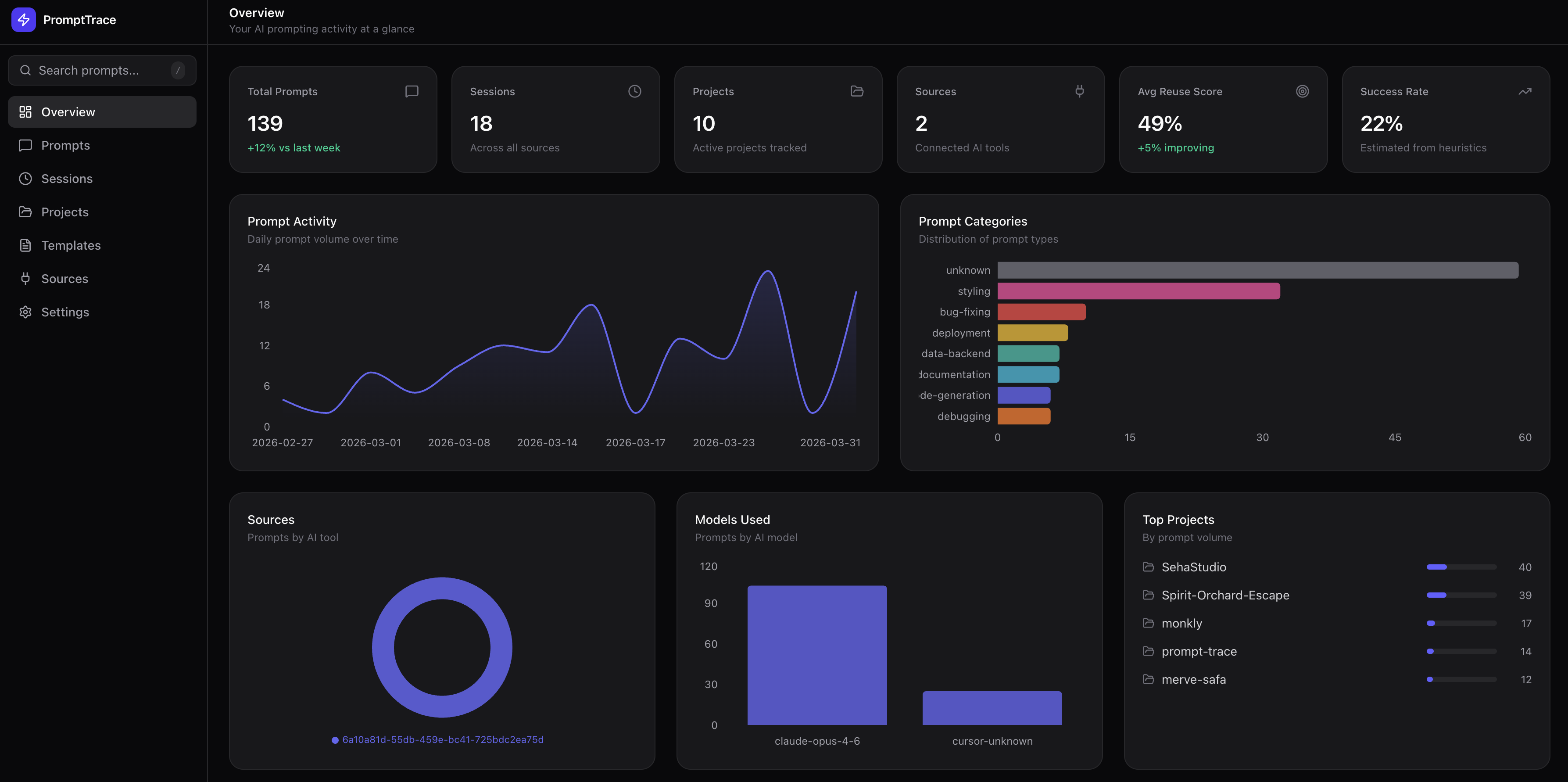
PromptTrace Dashboard
13
AI tools supported
6
Quality scores per prompt
100%
Local & private
<1min
Setup time

Not just history. Prompt intelligence.

PromptTrace goes beyond logging. It analyzes, scores, and transforms your prompts into reusable engineering assets.

Terminal
$ npx prompttrace
  PromptTrace v1.0.1
  Scanning Claude Code... 170 prompts from 8 projects
  Scanning Cursor... 53 prompts from 3 projects
  Scanning Codex CLI... 72 prompts from 2 projects
  Total: 295 prompts ingested
  Classifying... Scoring... Extracting templates...
  Dashboard ready at http://localhost:3001

What you get

Every feature runs locally. Nothing leaves your machine.

QUALITY

6-Dimension Prompt Analysis

Clarity, specificity, constraints, context efficiency, ambiguity, and overall optimization score for every prompt.

REUSE

Template Extraction

Automatically finds prompt patterns you repeat across projects. Normalizes them into reusable templates with placeholders.

WORKFLOW

Prompt Packs

Detects repeated prompt sequences across sessions. Bug Triage Pack, Refactor & Test Pack, and more.

STANDARDS

Prompt Standards

Generates best-practice prompt structures from your highest-scoring prompts. Anti-pattern detection included.

OUTCOMES

Outcome Intelligence

Tracks file changes, follow-up depth, session continuation, and abandonment risk for each prompt.

REFACTOR

Prompt Refactoring

Strengths, weaknesses, anti-patterns, improved versions, and template-friendly rewrites for each prompt.

How it works

Step 1

Run one command

npx prompttrace auto-detects all installed AI tools

Step 2

Scan & classify

Reads local history files, classifies into 14 categories and 8 intents

Step 3

Score & analyze

6 quality scores, templates extracted, packs detected, standards generated

Step 4

Browse & improve

Library, outcomes, refactor suggestions, export templates

13 AI tools supported

Reads directly from local history files. Adapter-based architecture.

Claude Code Cursor Codex CLI VS Code Copilot Windsurf Zed Gemini CLI Copilot CLI Antigravity Goose Kiro OpenCode Command Code

10 dashboard screens

From overview to deep prompt analysis.

Overview
Optimization opportunities, trends, top templates
Library
Searchable prompt assets with quality filters
Outcomes
File changes, follow-ups, abandonment risk
Templates
Reusable patterns with export
Packs
Workflow sequences from session patterns
Standards
Best-practice structures + anti-patterns
Sessions
Timeline view of AI interactions
Projects
Per-project prompt analytics
Sources
Connected tools + scan
Docs
How scoring and analysis works

100% local. Zero telemetry.

Everything stored in a local SQLite database at ~/.prompttrace/data/. No cloud, no accounts, no API keys. Open source under MIT.

FAQ

Does my data leave my machine?

No. Everything runs locally. Data stored in SQLite on disk. No network requests, no telemetry.

Which AI tools are supported?

13 tools: Claude Code, Cursor, Codex CLI, VS Code Copilot, Windsurf, Zed, Gemini CLI, Copilot CLI, Antigravity, Goose, Kiro, OpenCode, Command Code. Auto-detects which ones are installed.

How does scoring work?

Rule-based heuristics, no AI. Each prompt gets scored on clarity, specificity, constraints, context efficiency, ambiguity, and optimization. Plus reuse score and success score. All rules are deterministic and documented in the app's Docs page.

Do I need an API key?

No. PromptTrace doesn't call any external APIs. Classification, scoring, and analysis all use local heuristics.

Is it free?

Yes. Open source under MIT license.

Try it now

Takes less than a minute. No signup required.

$ npx prompttrace